
Infrared Effect
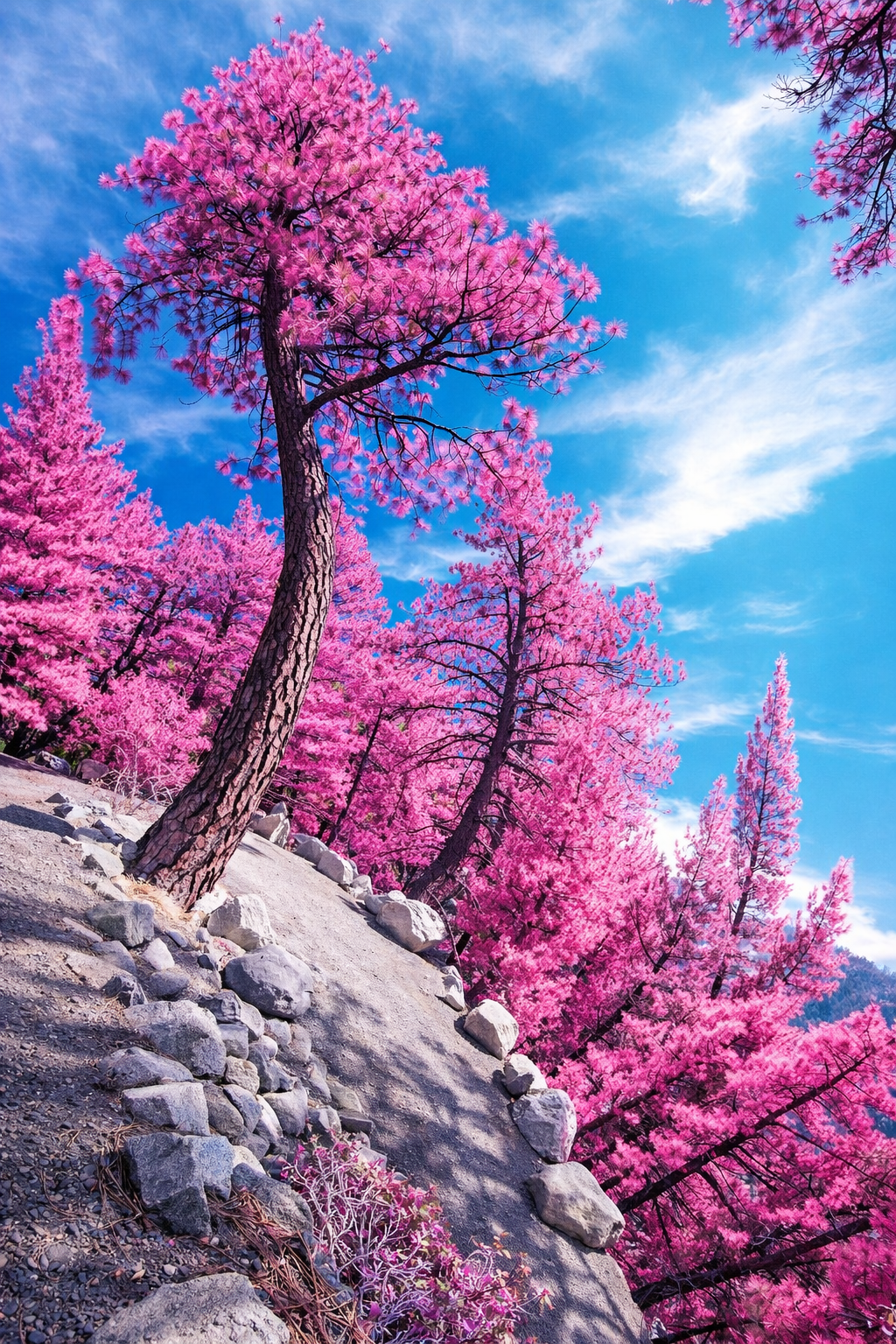
Creating the Surreal
Infrared photography has always had a magical, almost otherworldly feel. Back in the days of film photography, special infrared film was used to capture light beyond what the human eye could normally see. The result was unforgettable — green leaves often turned bright white, skies became dark and dramatic, and everyday landscapes suddenly looked dreamy, mysterious, and almost like a fantasy.
Of course, there was one catch: once you loaded infrared film, you were committed. That film gave you one very specific look, often with an almost negative-like appearance, and there was no easy way to switch directions once the photo was taken.
Today, most smartphones cannot capture true infrared light the same way older infrared film or specially modified cameras can, because smartphone cameras are designed to block most infrared light.
But here’s the fun part: you can still create a beautiful infrared-inspired effect with your smartphone after the photo is taken. By choosing the right subjects and using creative editing techniques, you can mimic that classic infrared magic — and with much more freedom than photographers had in the film days.
Even better, you are not locked into just one result. With a single smartphone photo, you can experiment with multiple creative styles — from a soft black-and-white infrared feel to a bold, artistic edit — and decide later which look you love most.
That’s one of the many reasons smartphone photography is so much fun: you can take one image and turn it into something completely unexpected.
🌈 Best Subjects for Infrared Effects
To create the most convincing infrared-inspired effect, start with scenes that naturally work well with this style. The classic look is strongest when there is a dramatic contrast between bright greenery and a darker sky.
Some of the best things to photograph include:
🌳 Trees with lots of leaves
🌿 Gardens, shrubs, and bushes
🌱 Grassy fields and parks
☁️ Landscapes with dramatic skies or clouds
🏛️ Buildings surrounded by greenery
🏞️ Nature trails and scenic overlooks
👤 Portraits in natural outdoor settings
The more greenery you include, the more striking the effect can become. I
Exploring the Possibilities
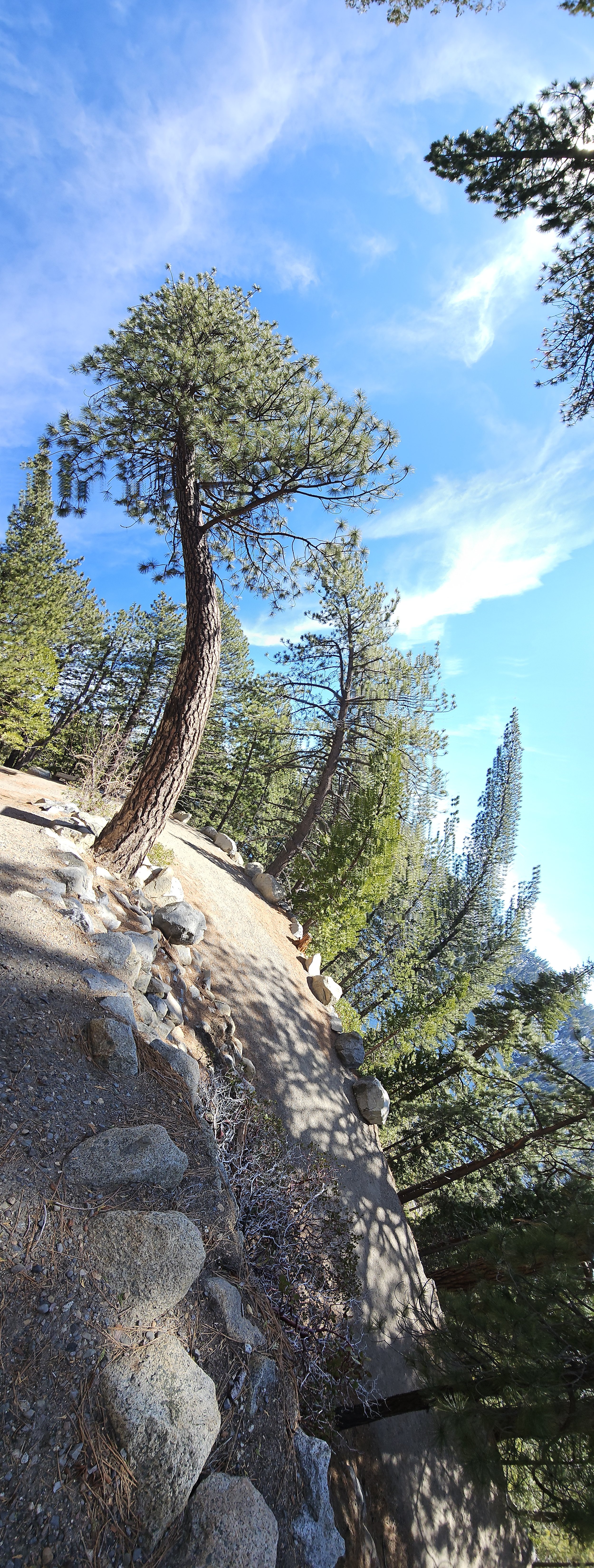
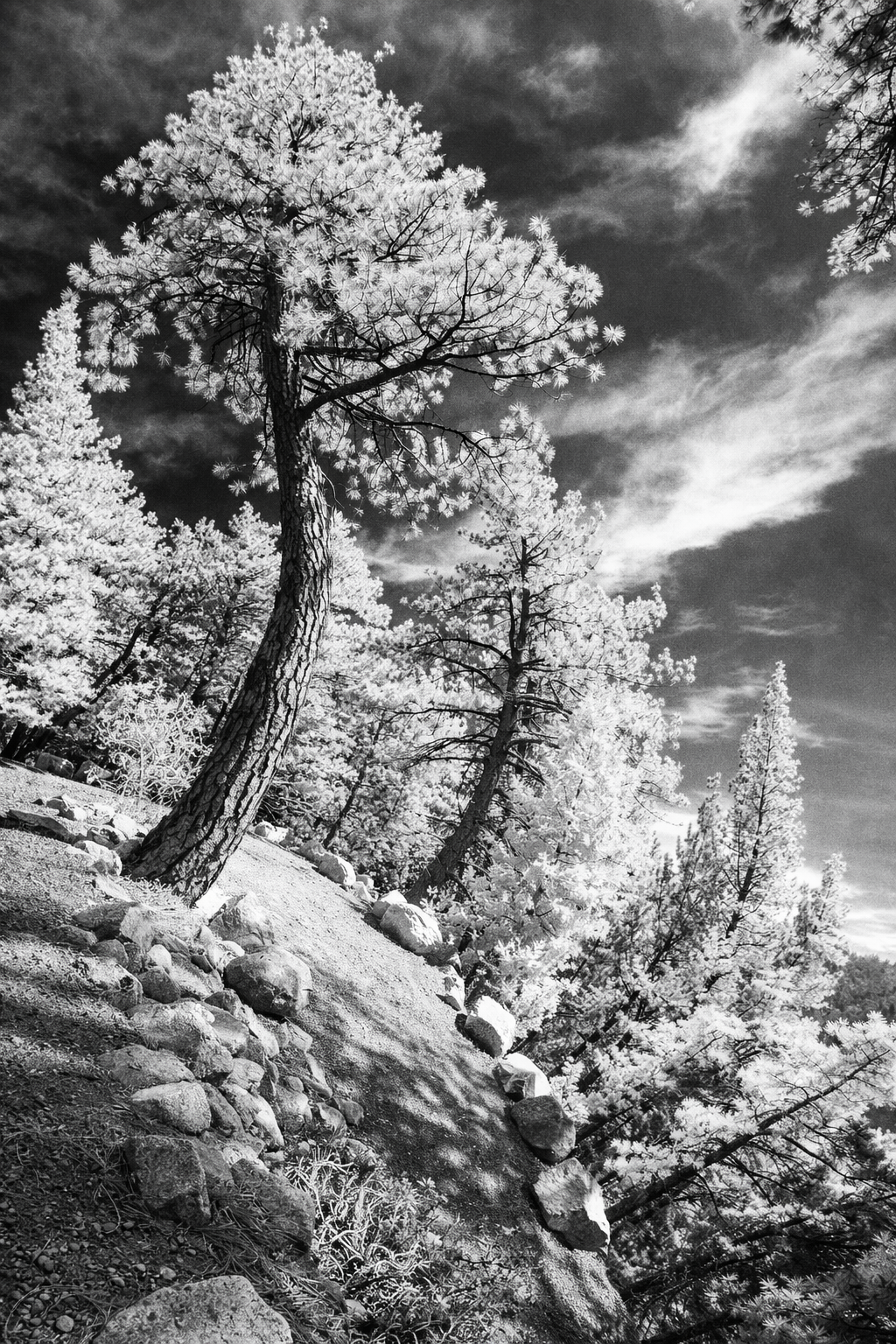
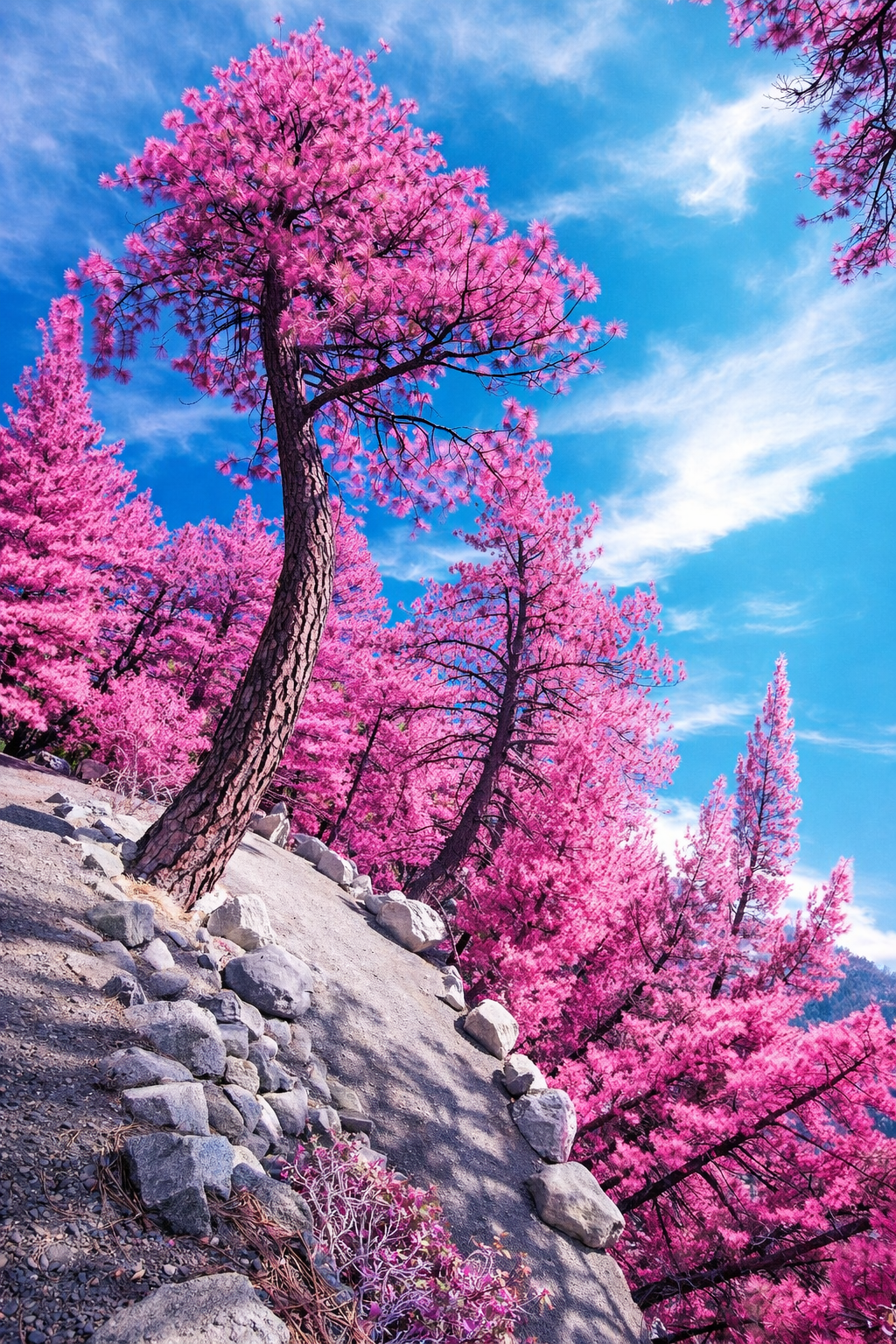
Lake Tahoe, Nevada: This image was created in a really fun three-step process. The original photograph was captured entirely in camera on a Lake Tahoe trail using a vertical panoramic technique while walking along the trails. Even before any editing, the image already had a unique and artistic look. From there, I asked ChatGPT to transform it so it looked like it had been taken with classic infrared film, which created the dramatic black-and-white version. Then, as a final creative step, I asked it to add color back into the infrared image for an even more surreal effect. So while the finished image has a striking artistic twist, it all began with a creative smartphone technique captured right in camera — no AI at all for the original shot!
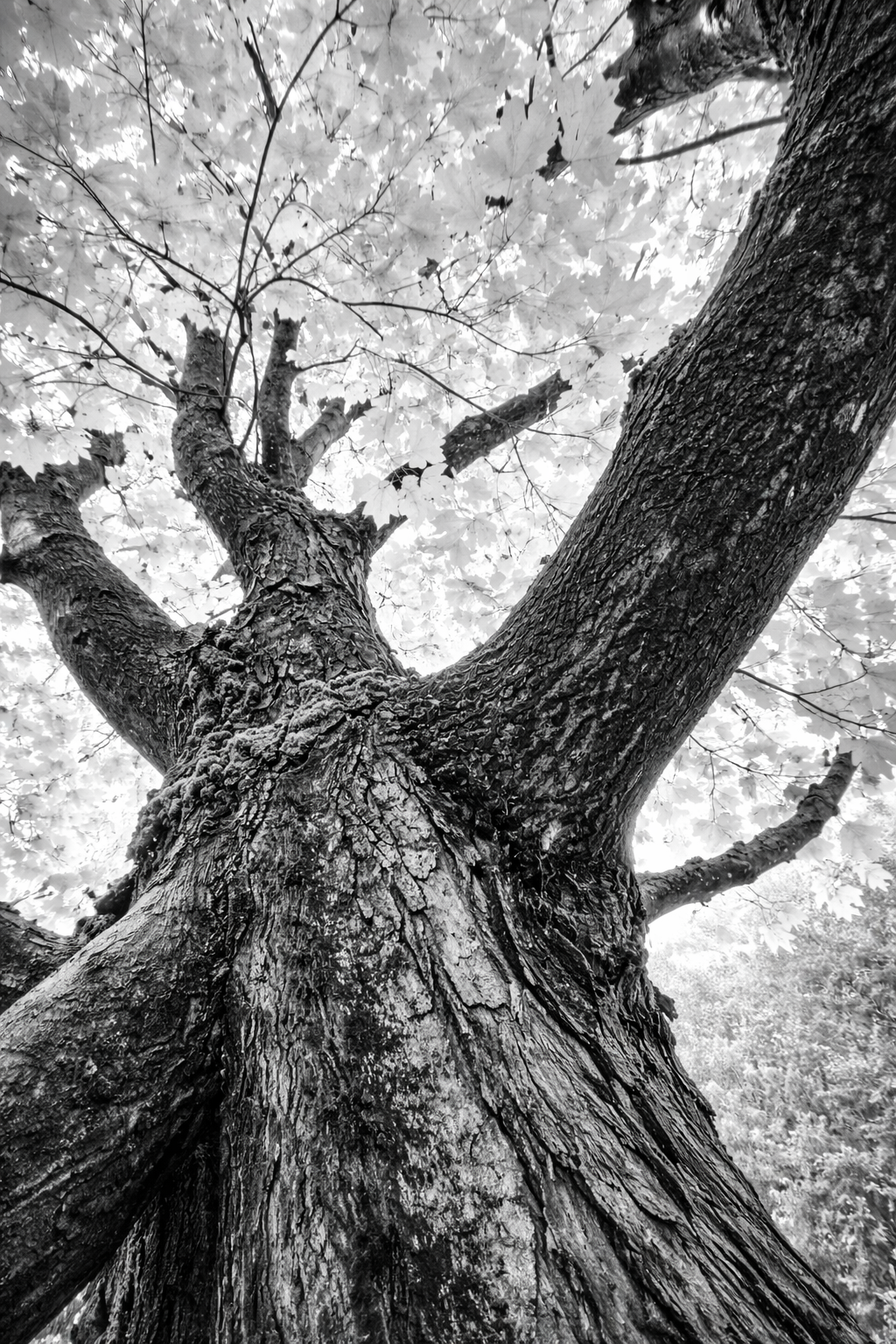
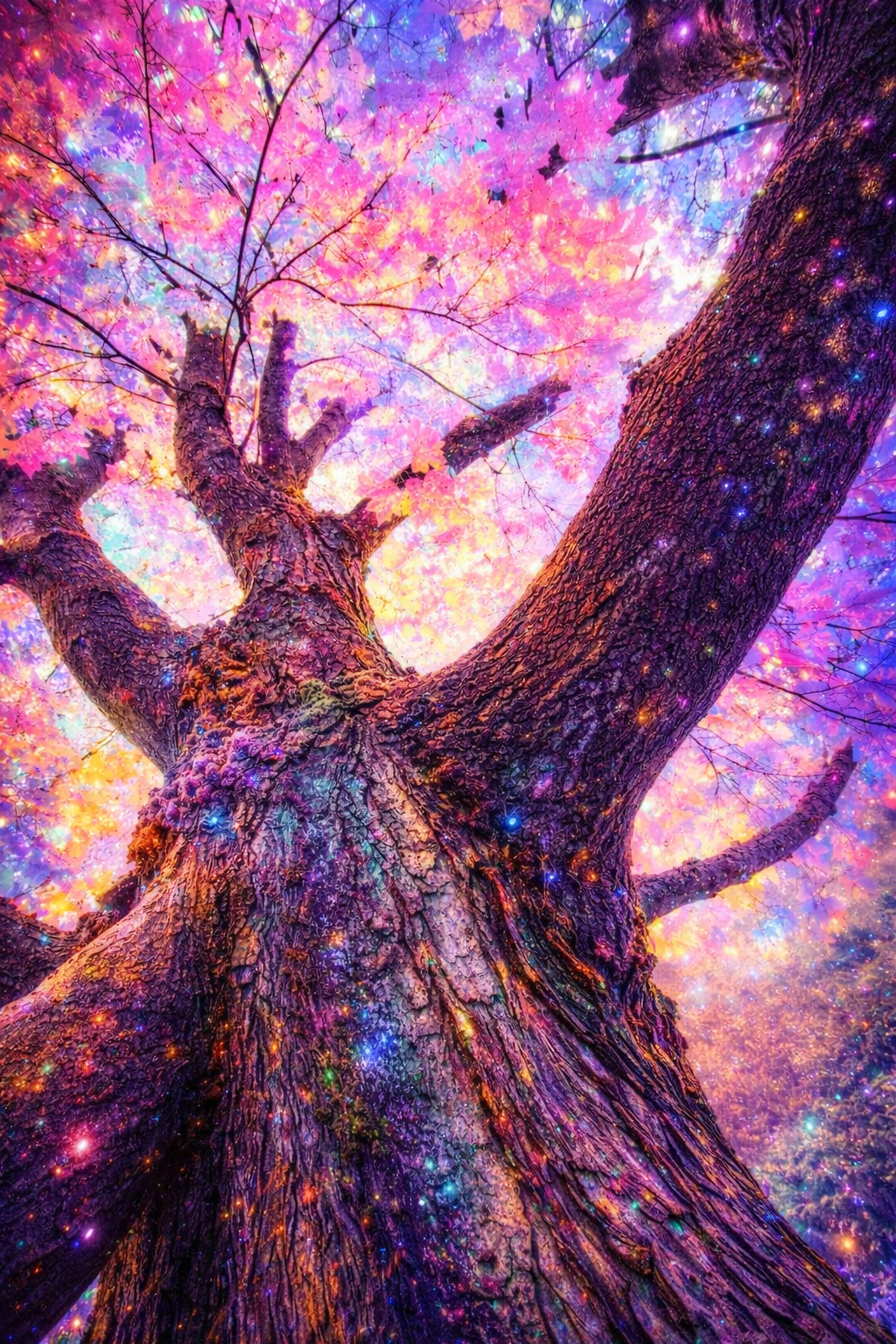
The image above is another example of this technique. Every image will respond in a completely different manner.
☀️ Best Lighting
For this effect, bright daylight is usually your best friend.
Unlike some types of smartphone photography that look best in soft light, infrared-inspired images often look strongest when the sun is bright enough to make leaves, grass, and trees really stand out. That extra contrast gives you more to work with later when you begin editing.
For best results, try shooting:
☀️ On a sunny day
🌤️ In bright daylight
🌳 When sunlight is hitting leaves, grass, or trees
☁️ With at least a little bit of sky in the frame
Bright foliage paired with a dramatic sky is one of the easiest ways to recreate that classic infrared feel.
🎨 Editing Tips
Because smartphones usually do not capture true infrared light, the real magic happens in the editing.
Start with a bright outdoor image that has plenty of greenery and a little sky. Then adjust the image to make the foliage appear lighter and the sky look deeper and more dramatic.
Try experimenting with:
⚫⚪ Black and white conversion for a classic infrared-style look
✨ Increasing contrast for extra drama
🌿 Brightening highlights and whites to make leaves and grass glow
☁️ Darkening shadows or blues to deepen the sky
🪄 Adding a little clarity, structure, or glow for a dreamy finish
🌸 Trying false-color edits by shifting greens toward pale yellow, pink, lavender, or magenta for a more artistic look
The best part? You can create several different versions from the same image and choose the one that feels the most magical.
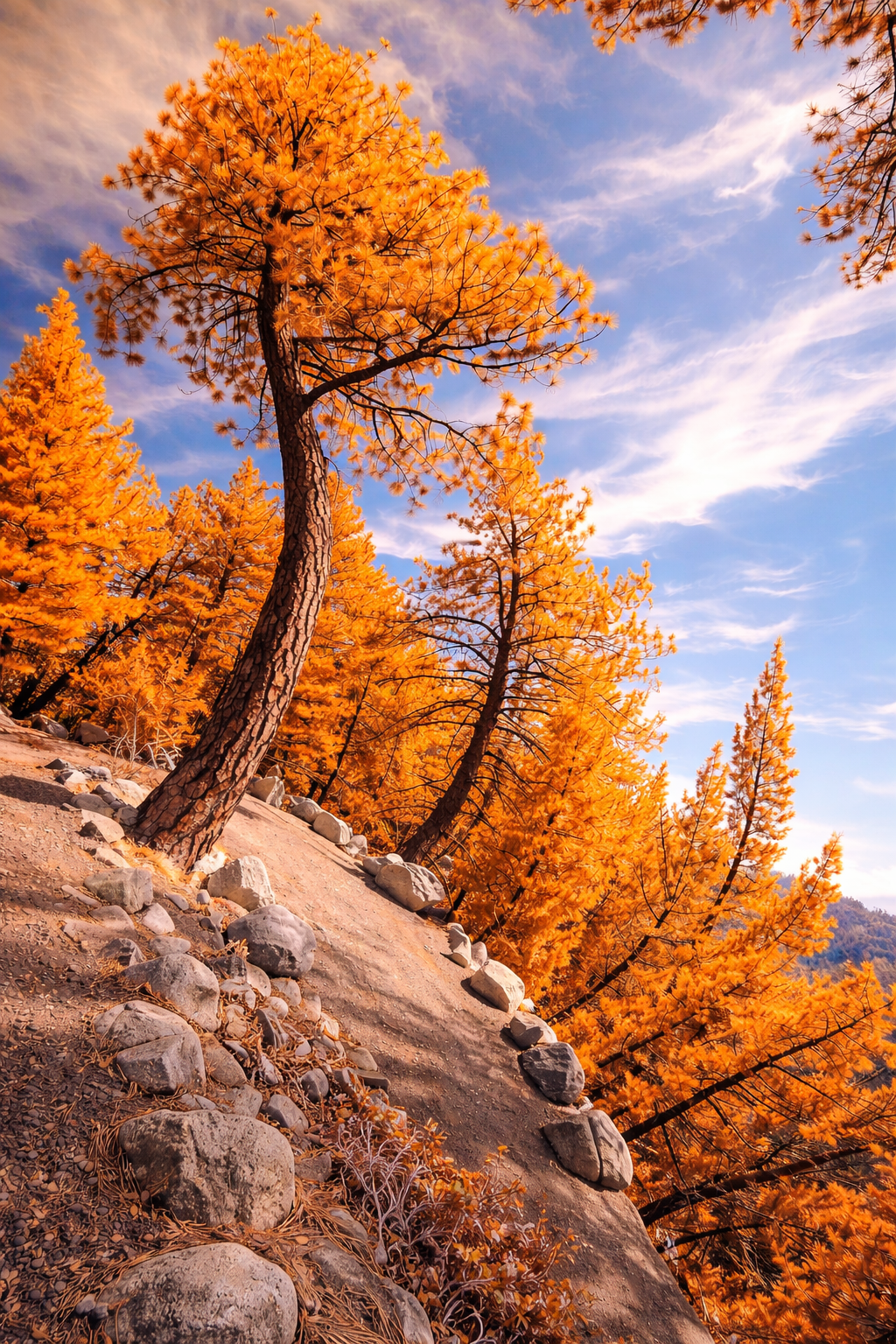
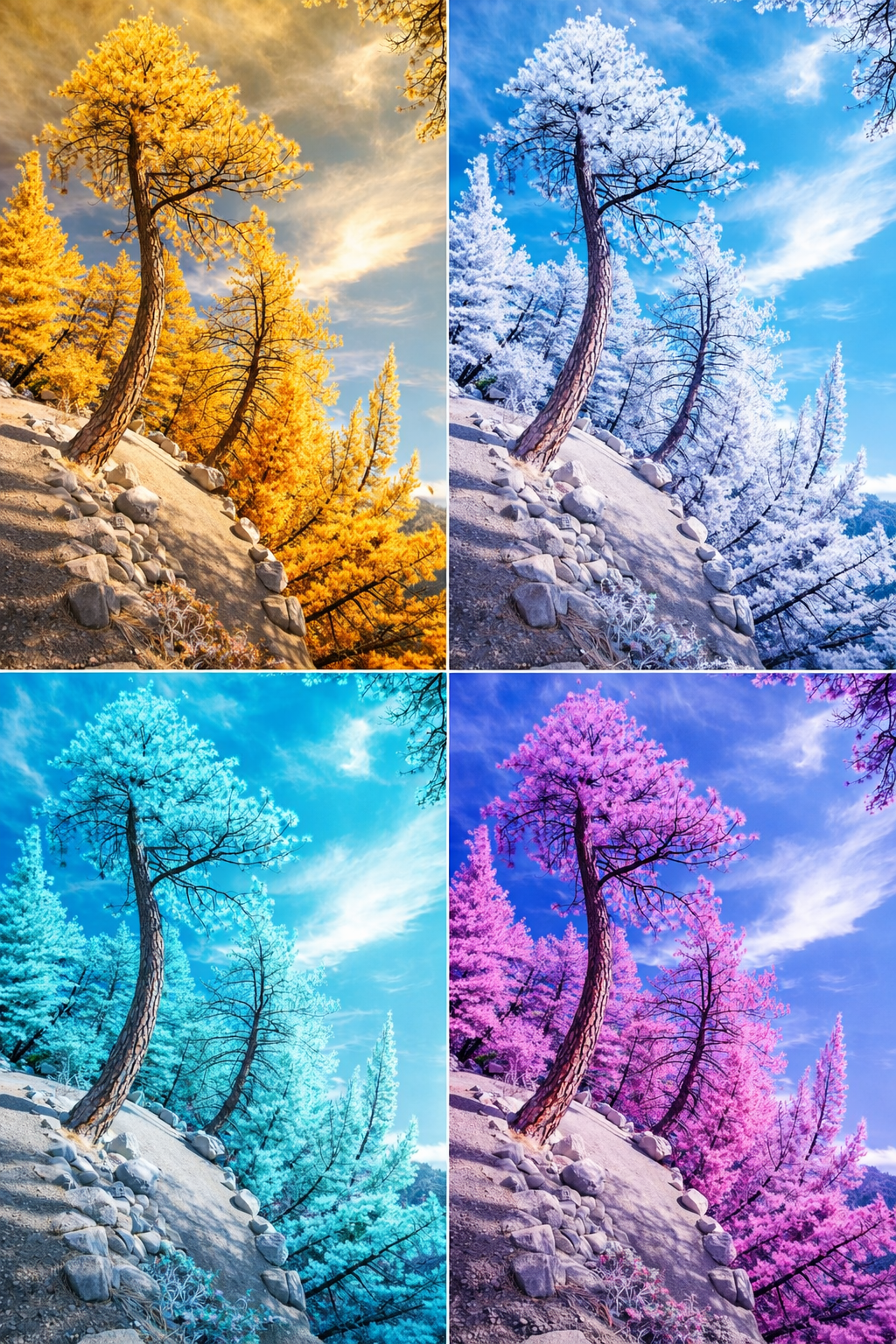
Using the same image above, we simply asked ChatGPT to change the color from pink to orange. It’s such a fun and easy way to create different looks from the very same photograph. This can be especially helpful if you’d like to frame one of your images and want the colors to better match the décor of a room. Sometimes a simple color change can completely transform the mood of an image.
📱 Recommended Apps
Although we use ChatGPT the most, several smartphone editing apps can help you create a beautiful infrared-inspired effect.
Great choices include:
📱 Snapseed – wonderful for black-and-white, contrast, drama, and glow
📱 Lightroom Mobile – excellent for detailed color control and HSL adjustments
📱 Photoshop Express – great for quick dramatic edits
📱 PicsArt – fun for colorful, creative, and artistic effects
Each app offers a slightly different look, so don’t be afraid to experiment and see which style speaks to you.
✨ Final Thought
True infrared film gave photographers a wonderfully unique look — but it also meant committing to that look from the very beginning. With smartphone photography, you have something even more exciting: creative freedom.
Take one beautiful image, try a few creative edits, and see where your imagination takes you. Sometimes the most magical photos are the ones you never expected to create.
Return to the Edits and Effects Home Page
“Elegance is the only beauty that never fades.”