
Nostalgia
Better With Time
Photos and videos often feel like small moments captured just for fun—but their true value sometimes isn’t fully understood until much later. As loved ones pass on, these everyday images and recordings become treasures—windows into who they were, how they laughed, what they loved, and the way they lived. It’s incredible to think that in our modern world, we’re creating a legacy without even realizing it. Our children, grandchildren, and great-grandchildren will not only know our faces, but also our voices, expressions, quirks, and stories. Through these images, generations to come will feel connected to us in ways that were never possible before—seeing us not as names in a family tree, but as real, living people.
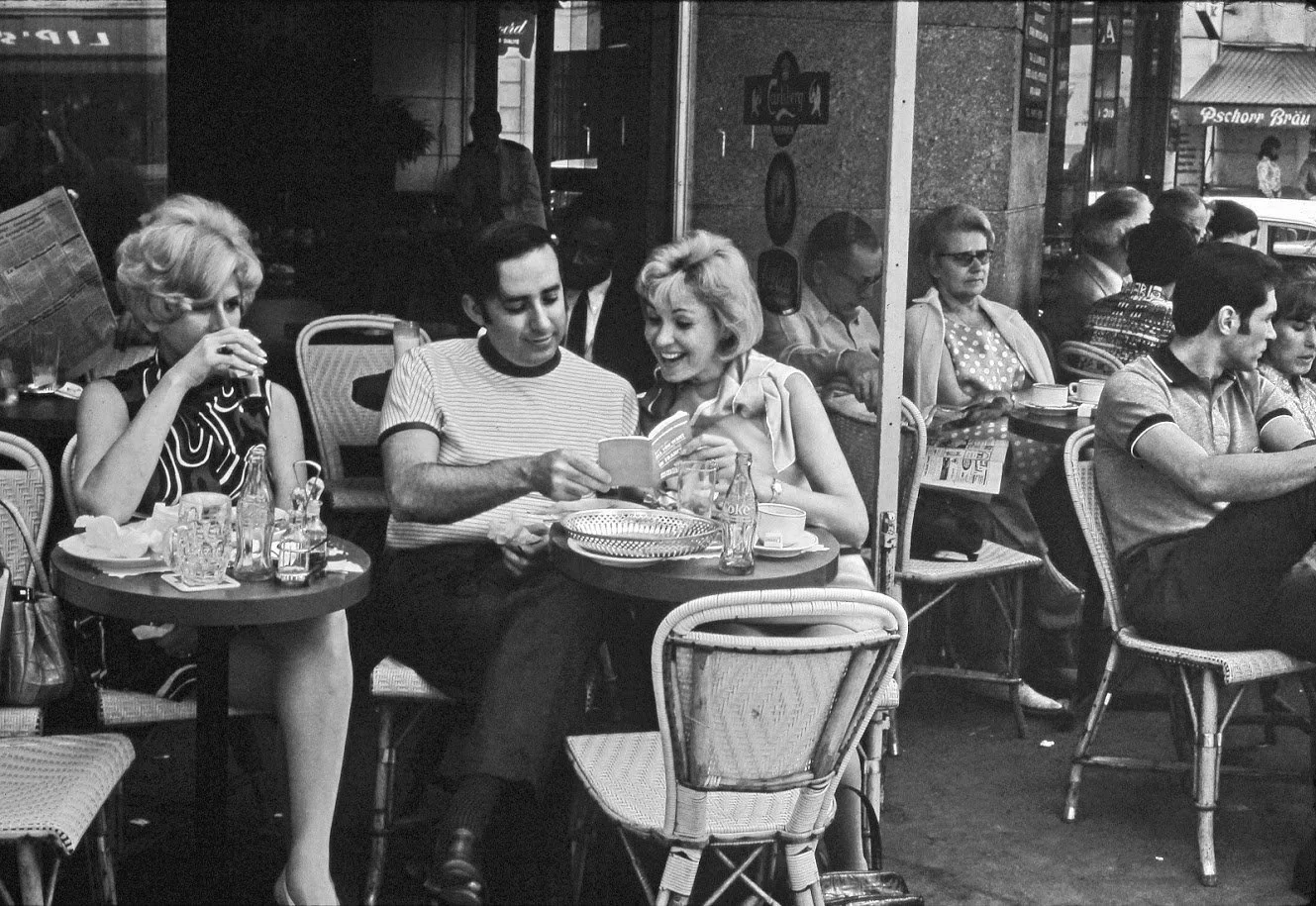
Paris, France: The image above is my absolute favorite of my husband’s parents—not just because it feels so quintessentially French, but because it’s so beautifully natural. It’s one of the few photos we have where they aren’t looking at the camera, just caught in a genuine moment. And since we have no video of them at all, this photo feels especially precious.
Preserving Older Images
📷Many of us only have a handful of images of our loved ones—often stored as prints, slides, or film negatives tucked away in boxes or albums. While precious, these formats can fade or become damaged over time, and they’re not easy to share with family scattered across the country. Thankfully, there are companies today that specialize in digitizing these memories, making it easier than ever to preserve and share them.
Nostalgic Media is located in Atlanta and we have been pleased with their work!
Alternatively, and for free, you can simply take an image of old photographs with you smart phone camera! For tips on that option, scroll down! Obviously, this will not work with negatives or slides; however, if you have a quality print, this is a great option.
Using AI to Enhance Images
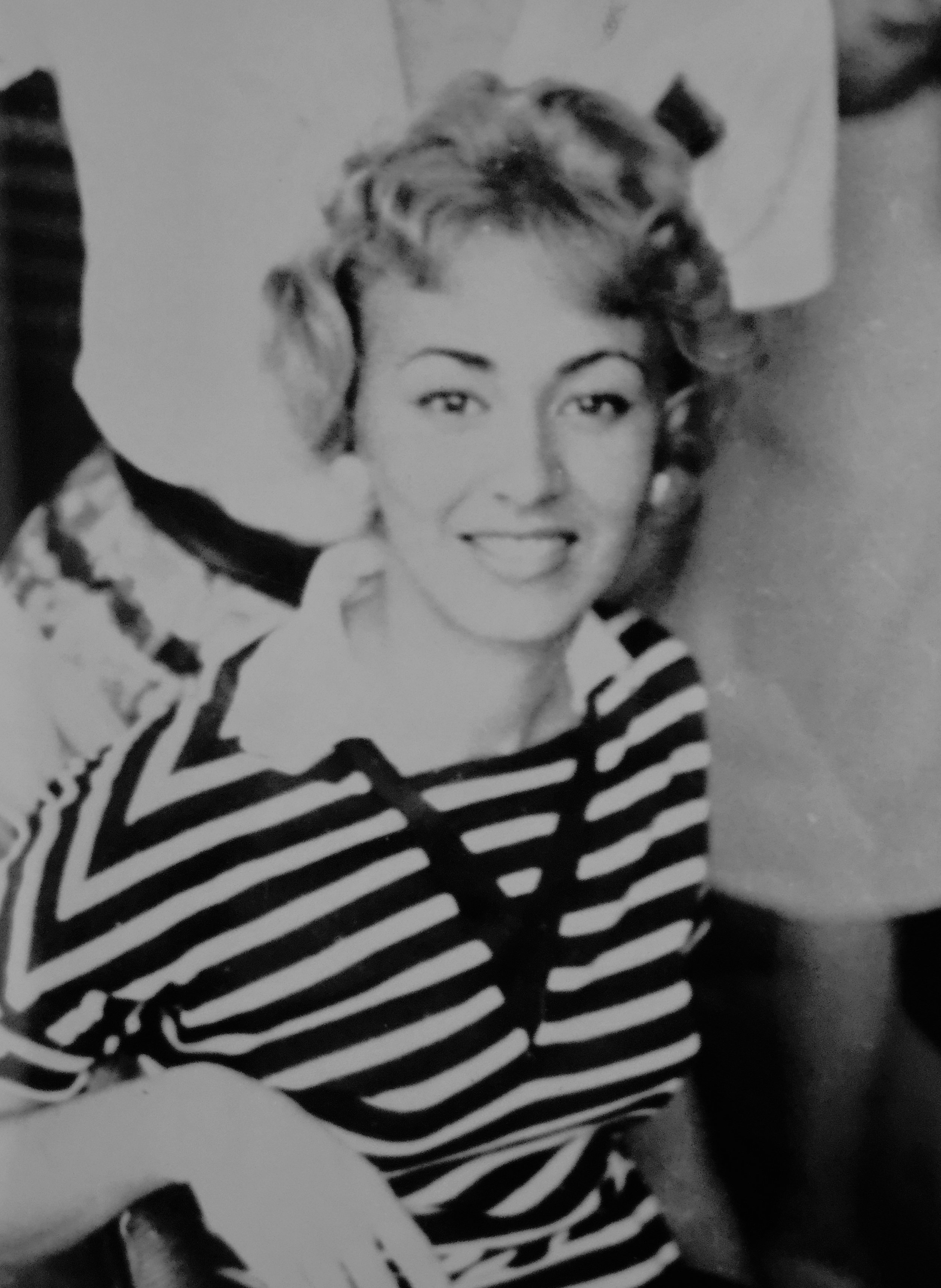
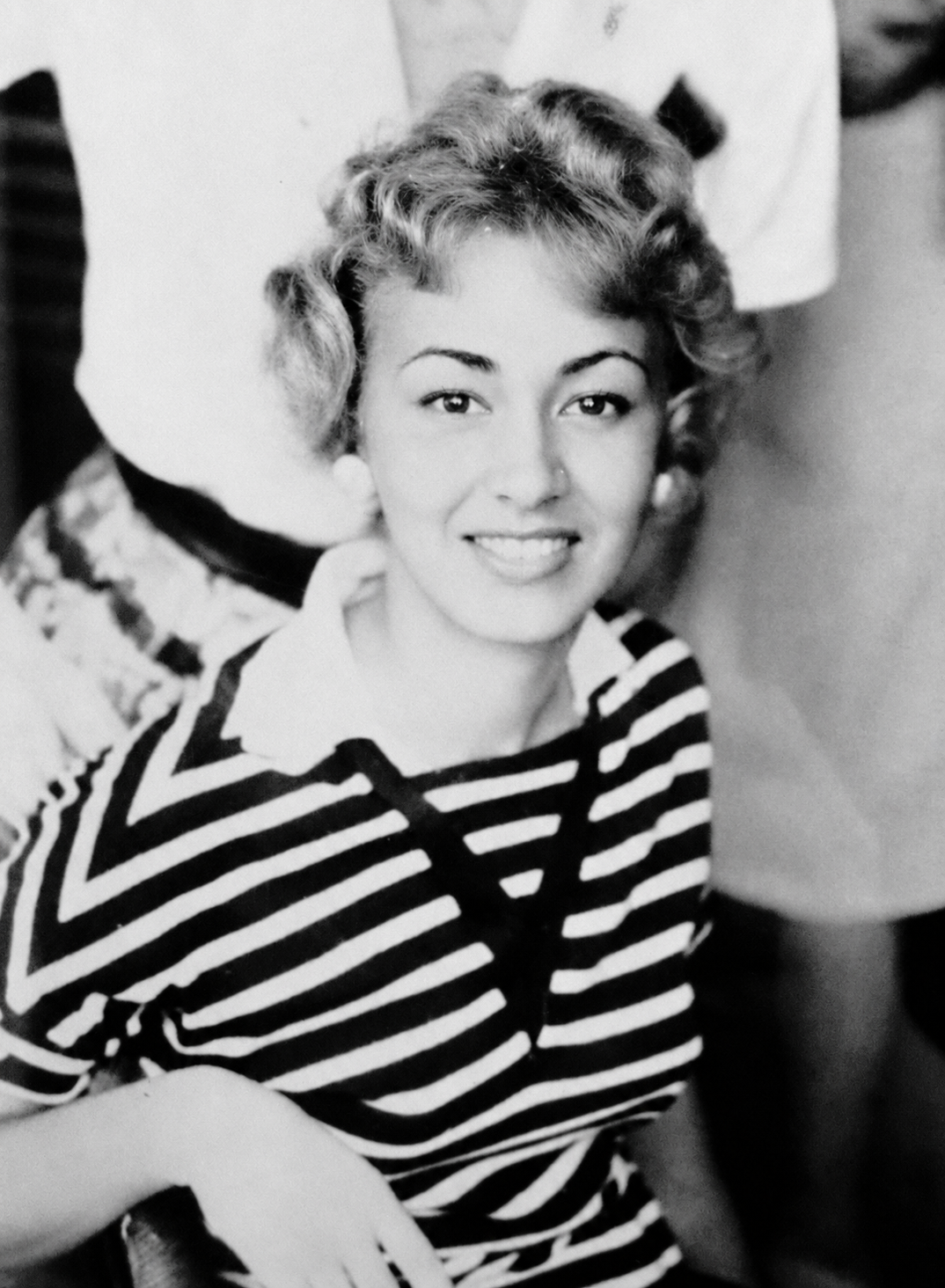
Before & After: AI tools, including ChatGPT, can be a wonderful way to enhance old photographs. In the image above, the original photograph was somewhat blurry and lacked contrast, but with a simple enhancement request, we were able to create a much sharper and clearer version. Modern AI tools can often help improve detail, contrast, color, and overall quality — bringing treasured old memories back to life.
The Perfect Gift
🎁A few years ago, we gathered hundreds of old photos of my husband’s parents and had them digitized by Nostalgic Media in Atlanta. We turned those images into a slideshow, and it became one of the most meaningful gifts he ever received—something we were also able to share with his entire family. If you have old family photos, I highly recommend checking out Nostalgic Media or looking for a similar service in your local area. You’ll be so glad you did—for yourself and for future generations.
A Picture Perfect Picture… of A Picture
Many of us have old family photographs tucked away in boxes, albums, and drawers — and your smartphone is a wonderful way to help preserve them. If you want to digitize printed photos at home, the good news is that it’s easy to do — and a few simple tips can make a big difference.
☀️ Use Soft, Bright Light
The biggest challenge when photographing a photograph is glare. A bright window with indirect natural light is often the best choice. Avoid direct sun, shiny overhead light, and always turn flash off.
🖼️ Lay the Photo Flat
Place the photo on a flat, non-shiny surface so it stays smooth and easy to capture. If the corners are curled, gently flatten them first.
📏 Shoot Straight Above It
Hold your phone directly over the photograph — not at an angle. Keeping your phone nice and straight helps the image look more natural and prevents distortion.
🔍 Move Closer Instead of Zooming
Rather than using digital zoom, simply move your phone a little closer. This usually gives you a cleaner, sharper result.
👆 Tap to Focus
Before you snap the picture, tap right on the old photo on your screen. This helps your smartphone focus where it matters most.
📸 Take a Few Shots
Don’t stop at just one. Take a few versions so you can choose the sharpest one with the best light and the least glare.
✂️ Crop and Straighten Afterward
Once you’re done, crop out the background, straighten the image, and make only light edits if needed. The goal is to preserve the beauty of the original photo — not over-edit it.
📄 Should You Use Document Scan Mode?
Usually, no. Document scan mode is wonderful for papers, receipts, and forms, but it can make old printed photographs look too harsh or overly processed.
For treasured family photos, your regular smart phone camera will usually give you the most natural and beautiful result.
Best tip: Take a regular photo first, then compare it to a scan if you’d like.
✨ Final Thoughts
Old photographs are little pieces of family history, and your smartphone is a wonderful tool for helping preserve them. With soft light, no flash, and a straight-on angle, you can create beautiful digital copies right at home.
Here’s another great tip from Smarter Photographs super-fan Joyce Taylor: When you digitize old photos, be sure to note who is in the picture, where it was taken, and any special details — both on the physical photo (if appropriate) and in the digital file name. Years from now, those little details may mean everything to your relatives!
“Memories are like antiques, the older they are, the more valuable they become.”